
- 30 August 2025
- LiteManager 5.2 Two-factor authentication
-
Two-factor authentication (authorization) on the LM server using an LM code via email, via your personal SMTP server. New console app for Linux (daemon).
- 05 August 2022
- LiteManager update 5
-
NOIP authorization on LM Server. (NOIP as the central authorization server)
Managing LM Server settings on NOIP. (SSC NOIP) - 21 October 2021
- A new website design LiteManager.org
-
Litemanager — remote support software
- 31 May 2015
- LiteManager remote access tools
-
Free remote access over the Internet with IP or ID connection. QuickSupport mode works without installation for Windows. Demonstration and online Presentation.
ROMService daemon
An application without an interface, a daemon. It is currently under development, so the screen control mode is not yet available in daemon mode.
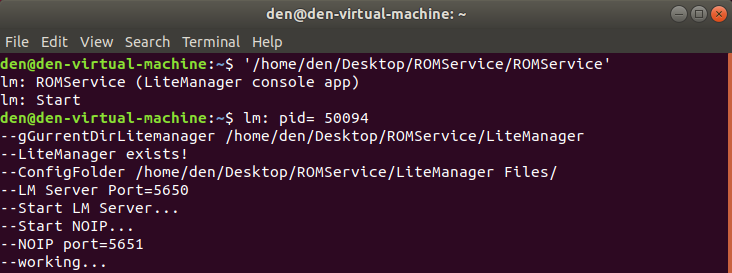
ROMService starts in the terminal, does not require parameter input at the moment, writes information to the console and to the test log. The program takes the settings in the LiteManager Files folder from the file Config.xml and Config_NOIP.xml , as a portable version, (or if there is none, then from the existing LiteManager application, by default here /home/<user_name>/LiteManager Files/)
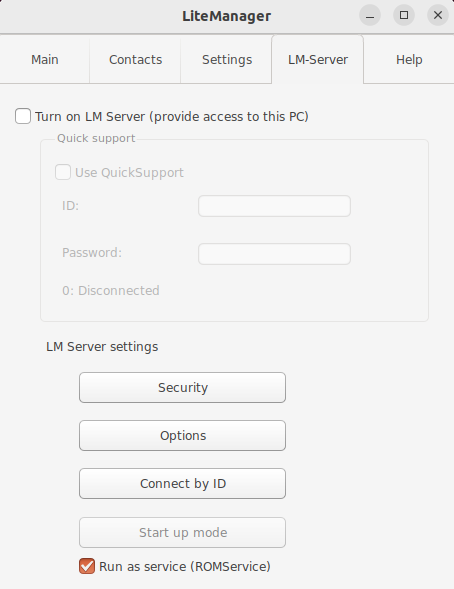
On the LM Server tab, you set a password and other security settings.
The ROMService executable file is completely without an interface, a Litemanager Files folder has been created nearby, where all settings will be stored, this is a portable mode for convenience.
---Actions---
Download the archive
https://litemanager.com/soft/LiteManager_linux.zip
Launch LiteManager to set settings, for example, the port and password of the LM Server or for the IP.
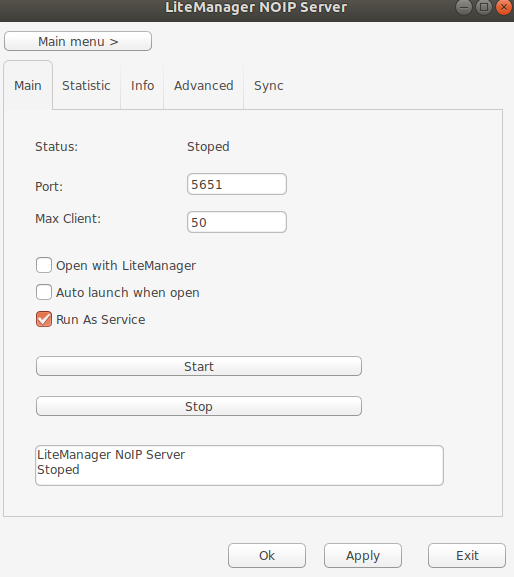
Check the boxes RunAsService to run as a service, and close LiteManager.
NOIP
LM Server
Next, run the ROMService file in the terminal. It will pick up the settings and start working.
-------------------------------------------------------
Download
https://litemanager.com/soft/LiteManager_linux.zip


